

Gingerbread Unplugged Coding – Hour of Code Christmas Screen-Free Programming
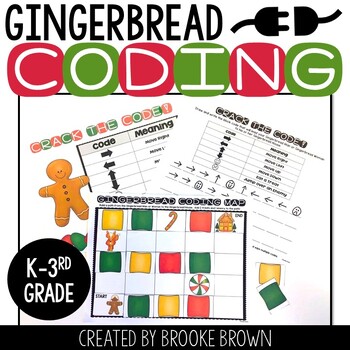
This simple holiday / Christmas introduction to block-style unplugged coding is perfect for the Hour of Code for K-3rd Grade as they learn the basics of “unplugged” screen-free programming without computers.
- Grades
- K–3rd
- Created by
- Brooke Brown, a National Board Certified STEM and makerspace teacher with 20+ years in elementary classrooms, creator of STEM Bins®
- Where to buy
- Sold only on TPT (Teachers Pay Teachers)
Save with a bundle

About this resource
This simple holiday / Christmas introduction to block-style unplugged coding is perfect for the Hour of Code for K-3rd Grade as they learn the basics of “unplugged” screen-free programming without computers.
After completing activities such as these on paper, they can apply similar block coding strategies to coding websites and apps for kids such as code.org and Kodable, and eventually to more advanced languages of coding. This activity also works as an excellent challenge for students during the yearly “Hour of Code” during December. To allow students to be most successful, please MODEL and clearly discuss directions for this activity before they complete it with partners.
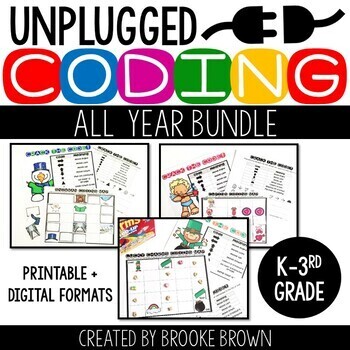
Interested in Unplugged Coding for the entire year? See the Unplugged Coding All Year BUNDLE.
CONTENTS:
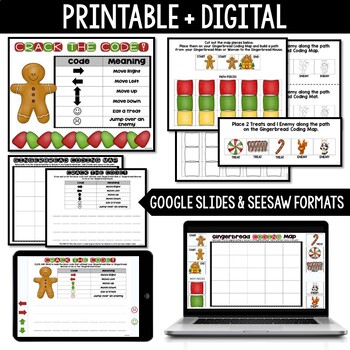
- Google Slides Digital Gingerbread Coding
- Seesaw Digital Gingerbread Coding
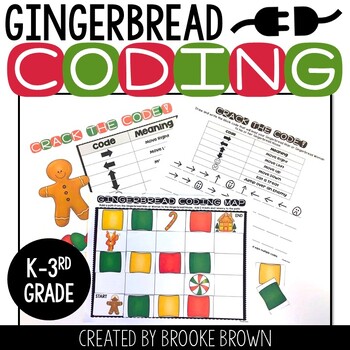
- Gingerbread Coding Map
- Map Pieces (COLORED)
- Map Pieces (BLACK AND WHITE)
- Crack the Code! Recording Sheet
- Crack the Code! Chart to project or display
INSTRUCTIONS:
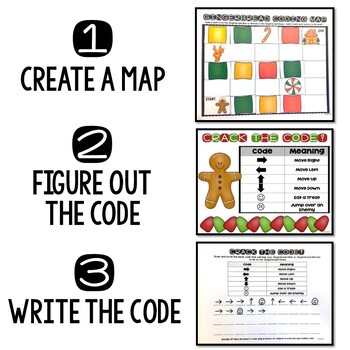
Partner students. Each pair of students will need one Gingerbread Coding Mat (page 3), one set of Map Pieces (Colored on pages 4-5 OR Black and White on pages 6-7), and 2-4 copies of “Crack the Code!” (page 8). You may also choose to put copies of page 8 inside clear page protectors so that students can write and wipe codes with dry erase markers multiple times. Page 9 is optional and is provided for you to project or display coding symbols.
Have pairs of students cut out all the map pieces and color if desired.
Student 1 arranges the map pieces on the Gingerbread Coding Map, starting with the gingerbread man or woman and ending with the Gingerbread House, with path pieces (colored squares) in between to connect them. Then he or she places 2 Treats and 1 Enemy along the path.
Student 2 then “codes” the path of the gingerbread man or woman on page 8, using the provided symbols to draw the directions that he or she must travel. When the gingerbread man or woman comes to a treat, they will draw the symbol to “eat the treat,” and when they reach an enemy, they draw the symbol to “jump over the enemy.”
Student 1 checks the code and coaches Student 2 as needed.
Map pieces are cleared and students trade places, with Student 2 creating the map and Student 1 writing the code.
You may also like…
Not ready yet? Try a freebie!
Gingerbread Unplugged Coding - Hour of Code Christmas Screen-Free Programming
Grades K–3rd · Sold only on TPT
